We are continuing with the project 2 by applying the feedback we got from crit session 4. Everything regarding the digital prototype is moved to the groups shared folder on Adobe xD. We will shortly start to evaluate the design decisions by engaging with other users as well. Right now we are looking to try out the design with kids in the age group 7-16 and also parents in any age group.
The specific outlines for the visual design is also set, the aim is to use light colors and obvious icons and symbols. We want to give the user a clean design and fast enough so that the admin/parent doesn’t have to spend unnecessary time navigating around the app to set up a simple task for their family member. There is consensus in the group that less is more, especially in this design where the design should fit a variety age groups and people with different technical app-knowledge. We find it more viable to add features and fancier visual design gradually as we conduct the user testing and listen to the feedback.
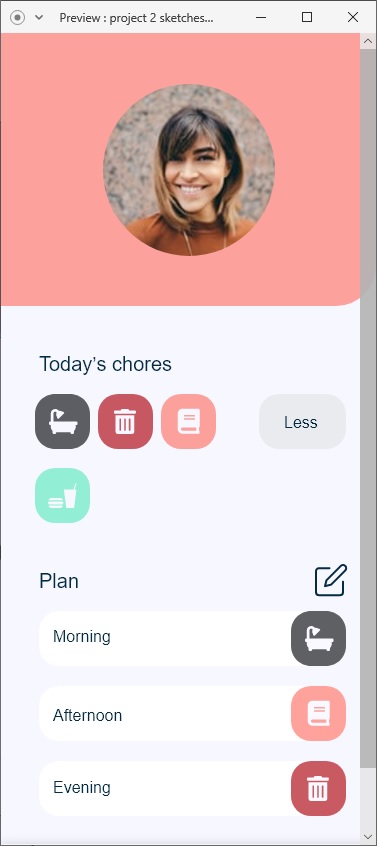
One of the last lectures of the course was a workshop in digital tools. Looked forward to this workshop but it was cancelled, so we got some very good instructions and links to resources to good tool for fast digital prototypes. Among those tools were adobe XD. Actually a lot of the resources were guides on functions of adobe XD. As I have used XD in previously courses I’m going to stick with it and develop my skills further in it. Some new things introduced (for me) is UI-kit, design system and plugins. Design system is a broader term and it isn’t usable where we are in our project. It’s a holistic approach to system design, and more viable if we had more time on our hands and a bigger project. For now UI-kits and various plugins are going to do fulfill our needs perfectly.
What makes UI-kits and plugins great is that many designs and forms are already done and ready to be used, of course with a bit of personalization and tweaking. The outcome is a design that takes less time to do. Countless of elements are ready to use. It’s just a matter of downloading the UI-kit and applying the desired elements to the product.
UI-kits and plugins directly correlate to efficient time management as the core activity in this project should be engaging with users and collecting data about the design. Other activities could also get more attention if one process becomes more efficient. For me as a designer clever and effective tools are always appreciated and welcome to join my army of tools.
Reading my previous post a bit back when I had the API project, I expressed my thoughts of highly technical tools which has a steep learning curve. JavaScript and an additional library was examined as prototyping tool. Looking back on that experience, what could be achieved and the time it took to do that quality is ridiculous compared to Adobe XD with UI-kit and plugins. There is no contest, at least for my liking. Some might prefer programming and find it more valuable practice than dragging and dropping but I believe for rapid prototyping practices that tools like Adobe XD will perform better.

 Micro blogg